

Securing your data in case of phone theft
Losing our phones or falling victim to theft can be a nightmare, not only due to the cost of replacing the device but also due to the risk of personal information ending up in the wrong hands.
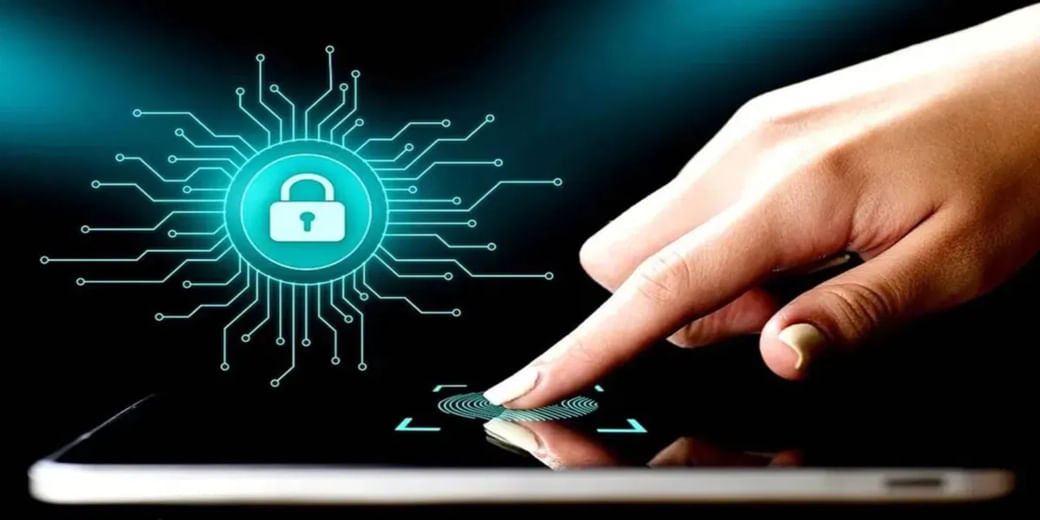
Smartphones have evolved into powerful devices that store a wealth of personal information, from contacts and messages to photos and sensitive financial data. Losing our phones or falling victim to theft can be a nightmare, not only due to the cost of replacing the device but also due to the risk of personal information ending up in the wrong hands. Hence, you can explore these essential steps to safeguard your phone’s data and protect your information in the event of loss or theft, ensuring you stay in control even in unfortunate situations.
1. Set Up Strong Passwords and Biometric Locks The first line of defence for securing your phone’s data is setting up strong passwords or biometric locks. Avoid using easily guessable combinations, such as “1234” or “password.” Instead, opt for longer passwords containing letters, special characters, and numbers. Biometric options like fingerprint or facial recognition are also highly secure, adding an extra layer of protection.
2. Enable Find My Phone Feature Most smartphones offer a built-in feature called “Find My Phone” or “Find My Device.” Ensure this feature is enabled on your device. In case of loss or theft, you can use this function to track your phone’s location, remotely lock it, or erase its data to prevent unauthorised access.
3. Regular Data Backups Regularly backing up your phone’s data is crucial for ensuring that your valuable information remains safe even if your device is lost or stolen. Cloud services like Google Drive or iCloud offer automatic backups for photos, contacts, and other essential data. Additionally, consider using secure third-party backup apps for added peace of mind.
4. Encrypt Your Data Data encryption is an excellent way to protect sensitive information on your phone. Encryption converts your data into an unreadable format, making it accessible only with a decryption key or password. Most modern smartphones come with encryption capabilities that you can easily enable in the security settings.
5. Install Security Software Investing in reputable security software can significantly enhance your phone’s defence against threats. Antivirus and anti-malware apps can protect your device from viruses, malware, and other malicious software that could compromise your data.
6. Be Wary of Public Wi-Fi Using public Wi-Fi networks might seem convenient. However, this practice comes with a risk. You should avoid accessing banking data, private emails in such situations. Hackers may intercept data transmitted over unsecured networks, putting your personal information at risk.
7. Use Two-Factor Authentication Implementing two-factor authentication (2FA) adds an extra layer of security to your accounts. With 2FA, you’ll need to provide a second form of verification, such as a one-time code sent to your phone, in addition to your password. This helps prevent unauthorised access, even if someone manages to obtain your password.
8. Avoid Accessing Suspicious Links It is crucial that you remain cautious about links sent through messages, emails, or social media. Such links, coming from unknown sources, can be phishing scams. You could get scammed into revealing sensitive data or accidentally download harmful software.
9. Enable Screen Lock Timeout Set a short screen lock timeout on your phone to ensure it automatically locks after a period of inactivity. This prevents unauthorised access in case you leave your phone unattended. 10. Remote Wiping as a Last Resort
In the unfortunate event of losing your phone and being unable to recover it, consider remote wiping as a last resort. This feature allows you to erase all data on your device remotely, ensuring your personal information remains protected.
11. Mobile Insurance If you find yourself in trouble with a lost or stolen phone, you can bank on the support of a mobile insurance plan. The vitality of such policies is fairly high for those who own expensive phones. For them, plans under the umbrella of iPhone insurance or Samsung mobile insurance should be ideal.
Conclusion Smartphones have become an integral part of everyone’s lives, carrying a vast amount of personal information. Protecting this data is crucial in today’s digital world, where cyber threats and the risk of loss or theft are ever-present. By setting strong passwords, enabling Find My Phone, and regularly backing up your data, you can significantly enhance the security of your phone’s data.
Remember, staying vigilant and practising safe browsing habits are equally vital in safeguarding your personal information. With these measures in place, you can confidently enjoy the convenience of your smartphone while ensuring your data remains protected at all times.
(This article is contributed by digital marketing agency Digibirds360)
Download Money9 App for the latest updates on Personal Finance.
